
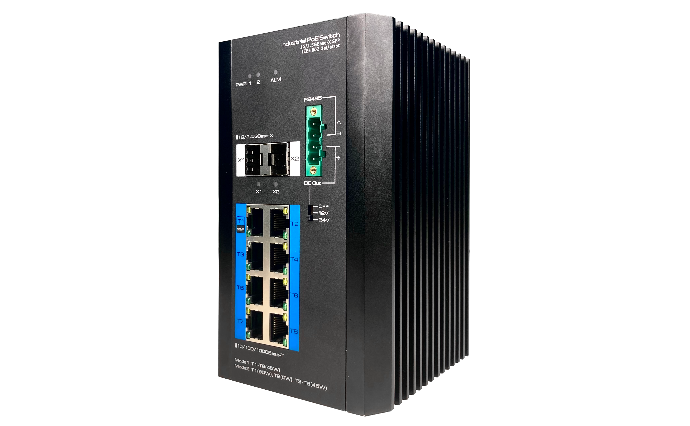
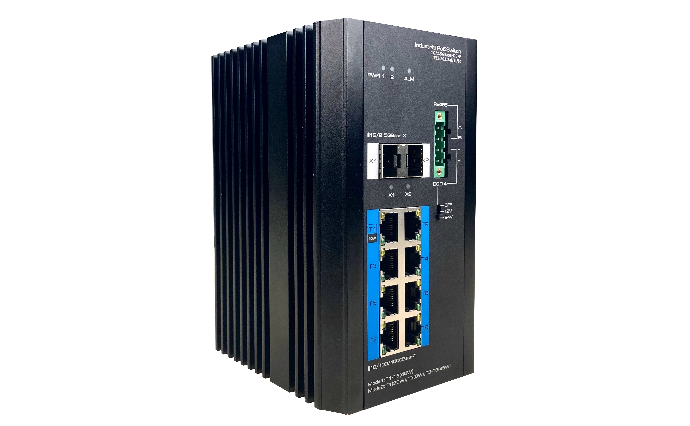
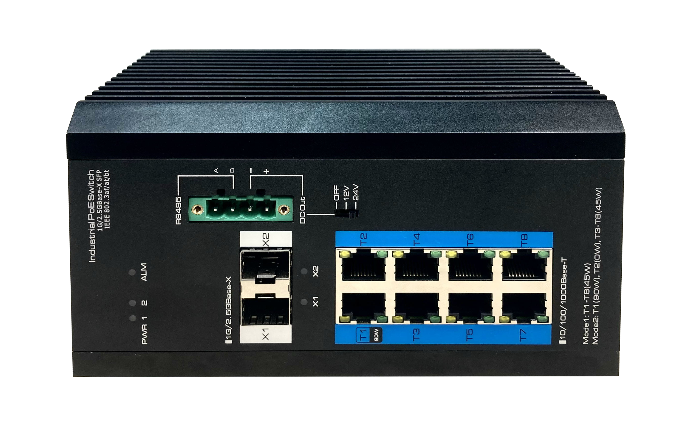
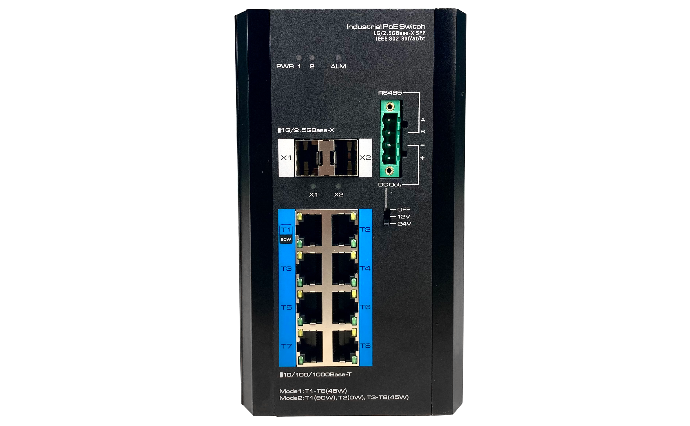
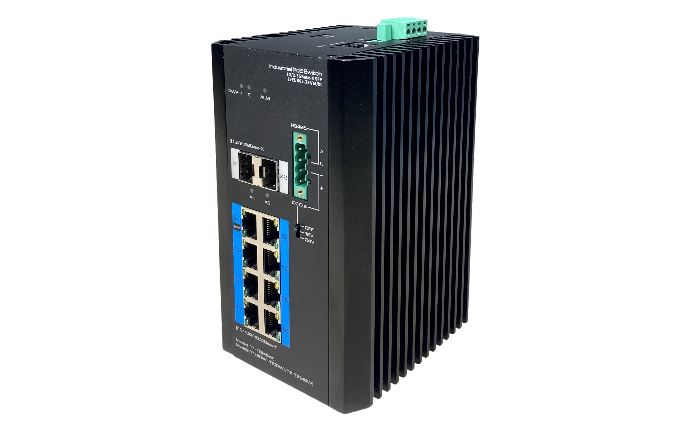






FEATURES AND HIGHLIGHTS:

Specifications:
|
Item |
7310S-PSD240-W |
|
Hardware Specifications |
|
|
Ethernet Ports |
8*10/100/1000BASE-T PoE RJ-45(Auto-MDI/MDI-X) |
|
2*1G/2.5GBASE-X SFP (The default value is 1G) |
|
|
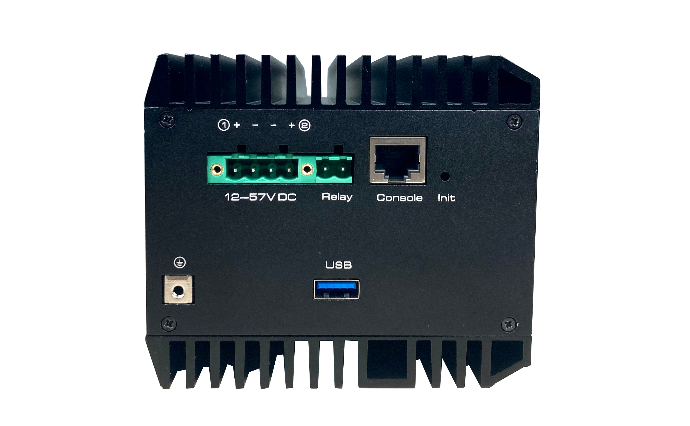
Management Ports |
1*RJ-45 Console |
|
1*Relay |
|
|
Serial Port |
1*RS-485 |
|
RS-485 signal: D+, D- |
|
|
Check bit: None, Even, Odd, Space, Mark |
|
|
Data bit: 5, 6, 7, 8bit |
|
|
Stop bit: 1, 1.5, 2bit |
|
|
Baud rate: 300~115200bps |
|
|
Load capacity: RS-485 port supports 32-point polling environment (128-point could be customized) |
|
|
Direction control: RS-485 adopts automatic data flow control technology |
|
|
USB Port |
USB3.0 |
|
Auxiliary DC Output |
OFF/12V/24V@2A max |
|
Init Button |
Short press to restart the device, Long press >5s to initialize the system |
|
LED Indicators |
2*PWR, power indicators |
|
1*ALM, alarm indicator |
|
|
2*SFP port indicators |
|
|
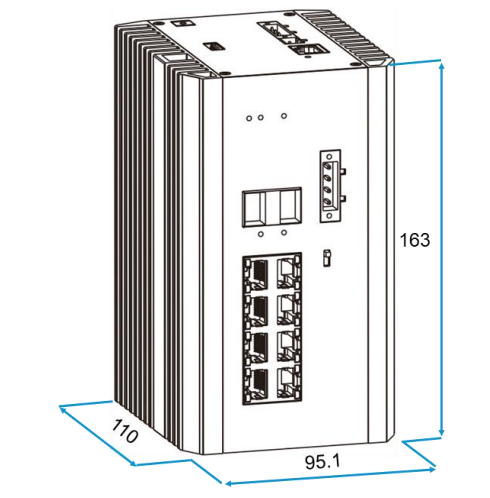
Dimensions (W*D*H) |
163mm*110mm*95.1mm |
|
Net Weight |
1.72kg |
|
Input Voltage |
Support redundant power supply, Power 1 (Main): 12~57V DC, Power 2 (Backup): 12~57V DC |
|
Power Consumption |
≤250W (Full load including PoE & auxiliary DC) |
|
Installation |
DIN-rail/Desktop/Wall mounted |
|
Material |
Metal shell |
|
Switch Property |
|
|
Forwarding Modes |
Store and Forward |
|
Switching Capacity |
26Gbps / non-blocking |
|
Packet Forwarding Rate |
19.344Mpps |
|
MAC Table |
16k, support auto learning |
|
Port Buffer |
2MB |
|
Jumbo Frame |
9kB |
|
Power Supply |
|
|
PoE Standard |
IEEE 802.3af/at/bt |
|
PoE Power Supply Type |
End-span |
|
PoE Pin Assignment |
1/2(+),3/6(-) or 3/6/4/5(+), 1/2/7/8(-) |
|
PoE Budget |
Mode1: 45W max for each port |
|
Mode2: 90W max for port 1, disabled PoE function for port 2, 45W max for ports 3 to 8 each. |
|
|
240W@48V, 120W@24V, 60W@12V max for whole switch (Including auxiliary DC output) |
|
|
Reliability |
|
|
ESD |
IEC61000-4-2, Level 3: Contact Discharge: ±6kV, Air Discharge: ±8kV |
|
Surge Protection |
IEC61000-4-5, Data Port: ±6kV |
|
Operating |
-40°C ~75°C, 5%~95% (Non-condensation) |
|
Storage |
-40°C ~85°C, 5%~95% (Non-condensation) |
|
Certifications |
|
|
Certifications |
CE, FCC |
|
Software Architecture |
|
|
System State |
|
|
System Status |
• Device Name |
|
• MAC Address |
|
|
• Firmware Version |
|
|
• Hardware Version |
|
|
• System Time |
|
|
• Update Time |
|
|
Traffic Statistics |
• Port No |
|
• Sent Frame Statistics |
|
|
• Received Frame Statistics |
|
|
MAC Address Table |
• Sort Type |
|
• MAC Address |
|
|
• VLAN ID |
|
|
• Port |
|
|
• Address Type |
|
|
Port Configuration |
|
|
Port Setting |
• Port State |
|
• Port Speed |
|
|
• Duplex Mode |
|
|
• Flow Control |
|
|
• Port Range |
|
|
Rate Limit |
• Enable and Disable |
|
• Port Range |
|
|
• Input Speed Limit |
|
|
• Output Speed Limit |
|
|
Storm Control |
• Port Range |
|
• Broadcast Storm |
|
|
• Multicast Storm |
|
|
• Unknown Unicast Storm |
|
|
Port Isolation |
• Port Range |
|
• Port Isolation |
|
|
LLDP Configuration |
• Enable and Disable |
|
• Holdtime |
|
|
• Interval Time |
|
|
• Admin Status |
|
|
• Port Range |
|
|
LLDP Neighbors |
• Total entries displayed |
|
• Device |
|
|
• Mac Address |
|
|
• IPv4 Address |
|
|
• Local-port |
|
|
• Holdtime |
|
|
• Port-ID |
|
|
• Capability |
|
|
Mac Limit |
• Enable and Disable |
|
• Port Range |
|
|
• Mac Limit Num |
|
|
PoE Setting |
• Power setting |
|
• Power status |
|
|
• Port status and control |
|
|
• PoE restart & working schedule |
|
|
Ethernet Switch |
|
|
Link Aggregation |
• Aggregated Load Pattern |
|
• Trunk Name |
|
|
• Aggregation Pattern |
|
|
• Port Range |
|
|
802.1Q VLAN |
• Port Range |
|
• Link Type |
|
|
• PVID |
|
|
• VLAN-allowed |
|
|
• VLAN-untagged |
|
|
802.1p QoS |
• Enable and Disable |
|
• QoS Scheduling |
|
|
• Priority |
|
|
DSCP QoS |
• Enable and Disable |
|
• DSCP Mark Range |
|
|
• DSCP Priority |
|
|
WRR Configuration |
• bandwidth weights |
|
IP Service |
|
|
DHCP Server |
• Enable and Disable |
|
• Client Lease Time |
|
|
• DNS Address |
|
|
• WINS Server |
|
|
• Pool Name |
|
|
• Network Interface(VID) |
|
|
• Gateway/Subnet |
|
|
• Start IP Address |
|
|
• Max Client Number |
|
|
IP Multicast |
|
|
IGMP Snooping |
• IGMP Interception Setting |
|
• IGMP Query |
|
|
• Static multicast MAC address |
|
|
• VLAN ID |
|
|
• Port Range |
|
|
Security Configuration |
|
|
802.1X Authentication |
• Global Setting |
|
• Timing Update Authentication |
|
|
• Radius Server Setting |
|
|
• Server Port Setting |
|
|
• Port Setting |
|
|
• Port Range |
|
|
Local Radius Setting |
• User login |
|
• User password |
|
|
• Radius user settings |
|
|
AAA |
• Authentication login |
|
Static Address Lock |
• Enable and Disable |
|
• MAC Address |
|
|
• VLAN ID |
|
|
• Port |
|
|
MAC Dynamic Aging |
• Aging Time |
|
Reliability |
|
|
Rapid spanning tree |
• Enable and Disable |
|
• STP Version |
|
|
• Device Priority |
|
|
• Message Sending Period |
|
|
• Message Maximum Lifetime |
|
|
• Port State Transition Delay |
|
|
• This Bridge Update Message |
|
|
• Modify Configuration |
|
|
MSTP Region Configuration |
• Enable and Disable |
|
• Region name |
|
|
• Version |
|
|
• Hello Time |
|
|
• Max. Age |
|
|
• Forward Delay |
|
|
• Max. Hops |
|
|
MSTP instance configuration |
• Instance ID |
|
• Corresponding VLANs |
|
|
• Priority |
|
|
MSTP Port Configuration |
• Path Cost |
|
• Port Priority |
|
|
• Point-to-point |
|
|
• Admin Edge |
|
|
• Auto Edge |
|
|
• Restrict Role |
|
|
• Restrict TCN |
|
|
• BPDU Filter |
|
|
• BPDU Guard |
|
|
• Root Guard |
|
|
• Port Range |
|
|
MSTP instance information |
• Instance ID |
|
• MSTP Bridge Information |
|
|
• MSTP instance information |
|
|
Fast Ring Protect |
• Enable and Disable |
|
• Fast Ring Network Group 1 |
|
|
• Fast Ring Network Group 2 |
|
|
Loopback Protect |
• Enable and Disable |
|
• Protect Automatic Recovery |
|
|
• Disable Loop Port Time |
|
|
• Port Range |
|
|
• Port Loop Detection |
|
|
ERPS Ring |
• Ring Number |
|
• East Interface |
|
|
• West Interface |
|
|
ERPS Instance |
• Enable and Disable |
|
• Name |
|
|
• ID |
|
|
• Ring Number |
|
|
• Level |
|
|
• RAPS VLAN |
|
|
• Owner Interface |
|
|
• Subring Blocking |
|
|
• Associated Instance |
|
|
Network Diagnosis |
|
|
ICMPv4 |
• Ping IPv4 |
|
ICMPv6 |
• Ping IPv6 |
|
Traceroute |
• Destination IP |
|
Alarm Management |
|
|
Alarm Host |
• Enable and Disable |
|
• Alarm Type |
|
|
• Power Supply |
|
|
• Port Network |
|
|
• Port PoE |
|
|
DMS |
|
|
Device List |
• Enable and Disable |
|
• Type in List |
|
|
Topology View |
• Topology View |
|
System Management |
|
|
Port Mirroring |
• Enable and Disable |
|
• Monitor Port |
|
|
• Mirror Port Range |
|
|
• Collect Data |
|
|
SNMP |
• Enable and Disable |
|
• SNMP Gateway |
|
|
• SNMP Version |
|
|
• Read-only Group Name |
|
|
• Read and Write Group Name |
|
|
• SNMP V3 setting |
|
|
Telnet |
• Enable and Disable |
|
HTTP |
• HTTP and HTTPS |
|
Time |
• Time Setting |
|
• World Time Zone |
|
|
• NTP Server |
|
|
• System Time |
|
|
• PC Time |
|
|
Syslog |
• Enable and Disable |
|
• Show Type |
|
|
• Information Processing |
|
|
Management |
• Restore Factory Value |
|
• System Reboot |
|
|
• Download Configuration File |
|
|
• Upload Configuration File |
|
|
• Choose upgrade file |
|
|
User Setting |
• Access Privilege |
|
• Username |
|
|
• Input password |
|
|
• Confirm password |
|
|
• Password type |
|
|
Timing Restart |
• Every day |
|
• Every week |
|
|
• Every month |
|
|
Manage IP Address |
• Access |
|
• Manage VLAN |
|
|
• IP Addr |
|
|
• Subnet mask |
|
|
• Default gateway |
|
|
• DNS address |
|
|
• IPv6 address |
|
|
• IPv6 default gateway |
|
|
One Key Smart |
• CCTV Mode |
|
• Device Lock |
|
|
• Fast Ring |
|
|
• Device Online |
|
Dimensions:
Package:
|
Items |
Quantity |
|
Switch |
1 pc |
|
Mounting Accessory |
1 set |
|
Quick Installation Guide |
1 pc |